Fly fishing and other cool things

Category: Weekly Reflections

This is the category to apply to your Weekly Reflection posts from the course.

Weekly Reflection #8 Universal Design for Learning

This week we looked at online accessibility and inclusive technology in classrooms. We used the site “WAVE” (https://wave.webaim.org) to analyze websites and their accessibility. I honestly didn’t even know tools like this existed and found it fun and interesting to test different websites. I tested a few different websites as well as my blog. The first site I tested was Kirbys Source for Sports, specifically their hockey gear section (https://www.sourceforsports.ca/collections/hockey-equipment). Their site had an AIM score of 1/10, which is the lowest I found.
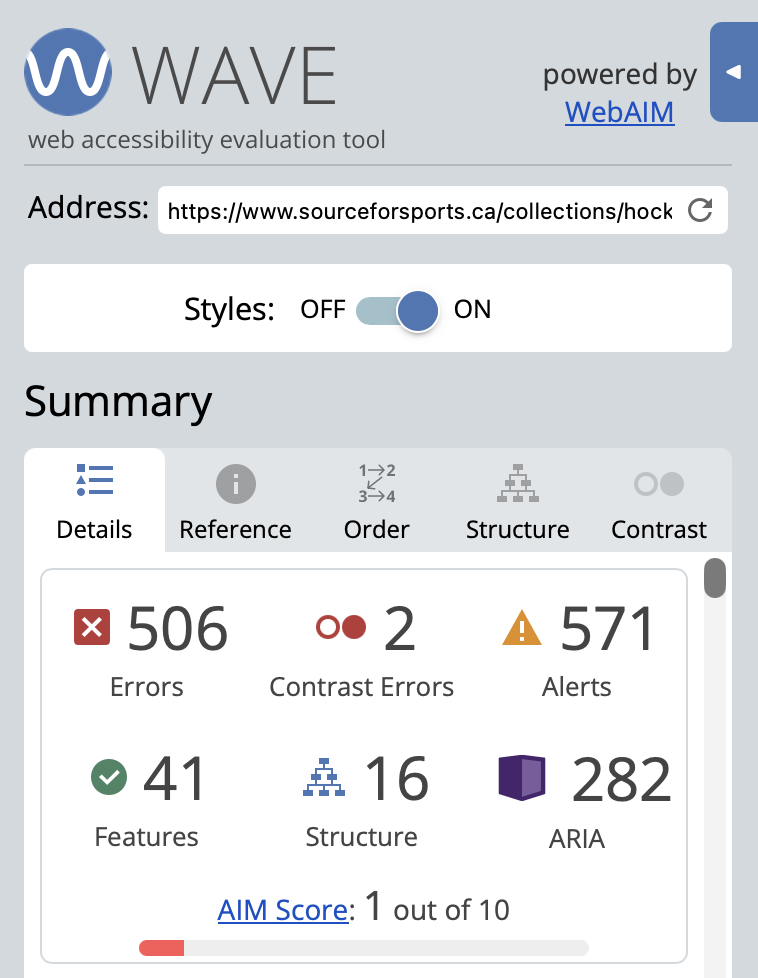
This is a screenshot from https://wave.webaim.org analyzing the accessibility of https://www.sourceforsports.ca/collections/hockey-equipment
Screenshot from: https://wave.webaim.org/

I didn’t find this very surprising as this website has always been an absolute pain to navigate and use. The next site I tested was the NHL website (https://www.nhl.com). This website had an AIM score of 9/10.
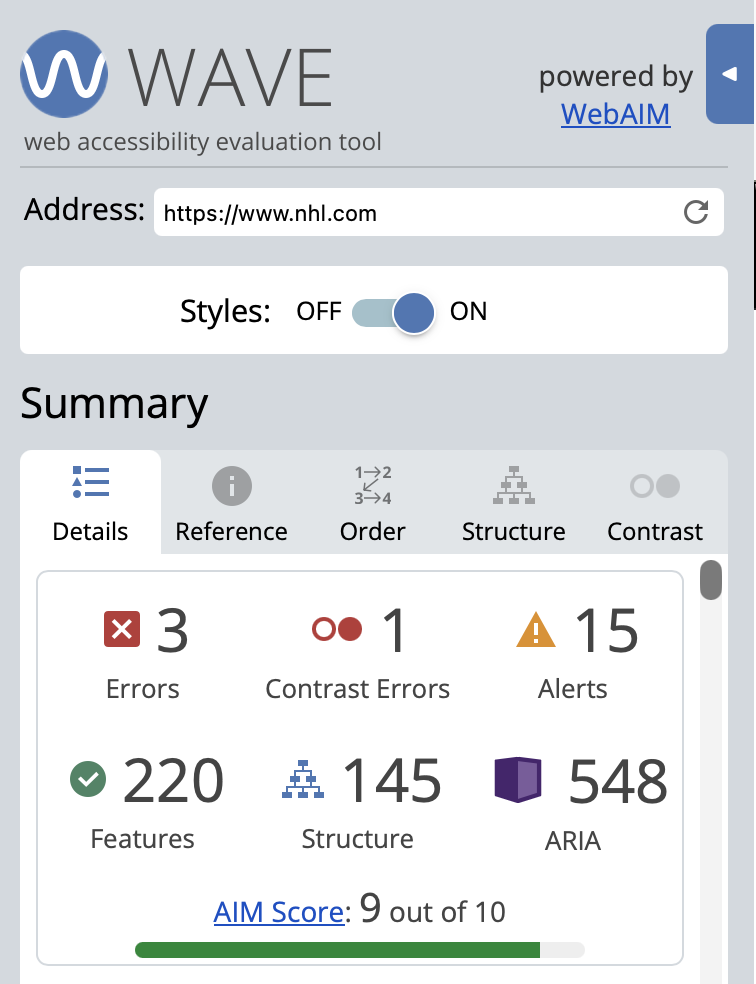
This is a screenshot from https://wave.webaim.org analyzing the accessibility of https://www.nhl.com
Screenshot from: https://wave.webaim.org/
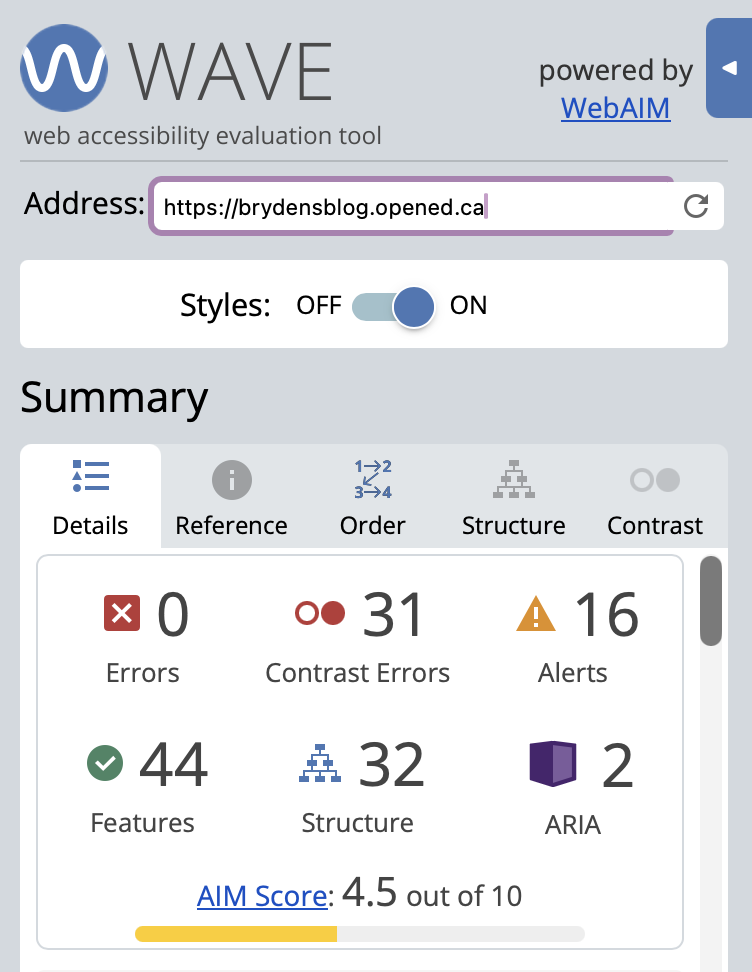
This is a screenshot from https://wave.webaim.org analyzing the accessibility of https://brydensblog.opened.ca
Screenshot from: https://wave.webaim.org/

Weekly Reflection #7: Gamification

Gamification can be a great way to engage students in learning, but it’s important it is implemented correctly and intentionally designed. I asked chat gpt to answer the following prompts:

  1. What design features make a game more effective in promoting learning?
  2. How are the benefits of game-based learning impacted by assessment?
  3. Does game-based learning improve academic outcomes, or does it only boost engagement? 
  4. Do people learn academic content better from playing a game than from conventional instruction?
  5. Do people learn useful cognitive skills from playing a commercial off-the-shelf game?
  1. After reading Chat GPT’s response I know there are many necessary design features for effective gamification. The first is Integration of learning objectives in the game mechanics, students should have to use their knowledge to advance in the game. The second is immediate and meaningful feedback. The difficulty should also be adaptable to different skill levels. A few other design features are scaffolding, engagement, and opportunities for exploration, experimentation, and problem solving.
  2. Assessment definitely impacts the effectiveness of game based learning. In order for assessment to be effective it must assess the appropriate skills. Some games have built in assessment trackers that continuously monitor progress and provide feedback. If the assessment emphasizes grades too much it can heavily impact motivation/engagement.
  3. Game based learning can definitely improve both engagement and academic outcomes. An increase in engagement is much more common. Academic improvements depend on the design of the game. poorly designed education games may only increase engagement and not understanding.
  4. There are benefits to both, one does not necessarily outperform the other. AI says games may be useful for problem solving/applied learning, practice/reinforcement, and complex systems, while Traditional forms of teaching work well for explanation of new concepts. The most effective way to use games in education is alongside traditional education.
  5. Normal video games can definitely develop certain cognitive skills. These include spatial reasoning, processing, strategic thinking, problem solving, and multitasking, but it is important to consider that the transfer of these skills to real life is not instant, and may not transfer over.

OpenAI. (2026, March 12). Game Based Learning Effectiveness [Large language model]. ChatGPT. https://chatgpt.com/c/69b04399-b8e8-8327-932b-0765e95d59d7

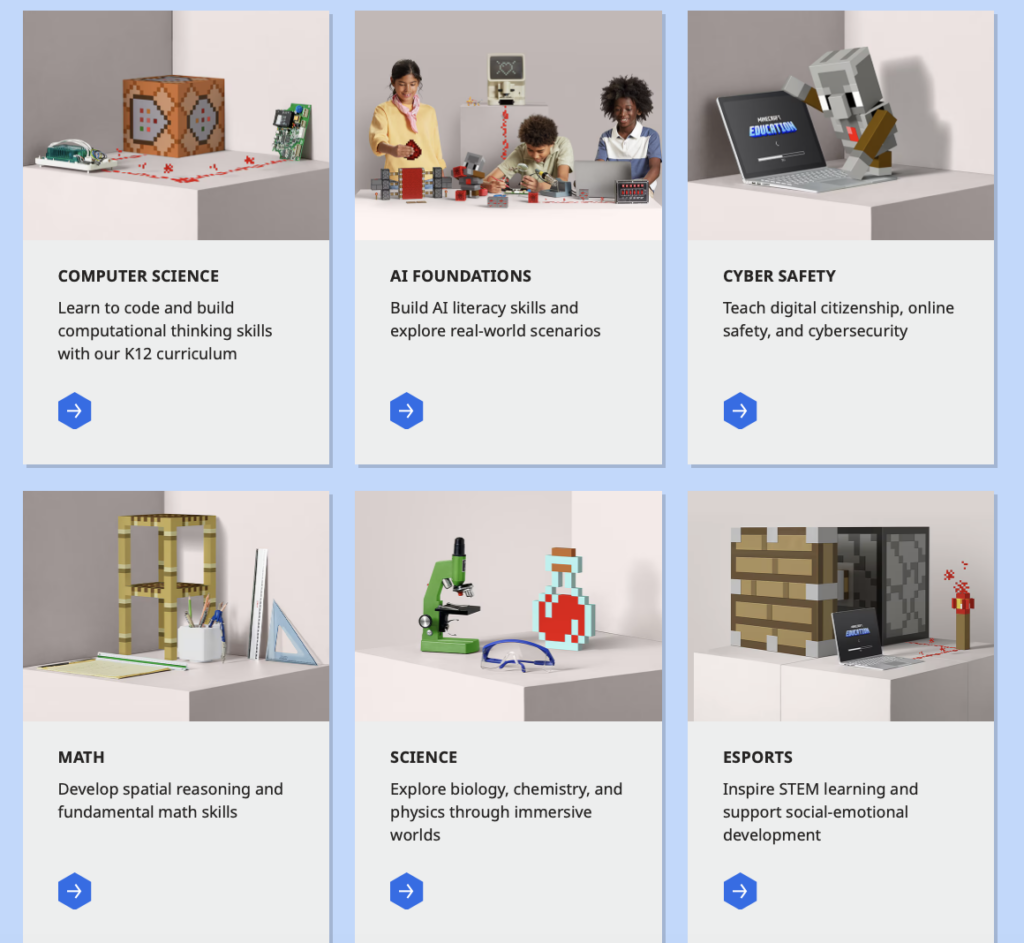
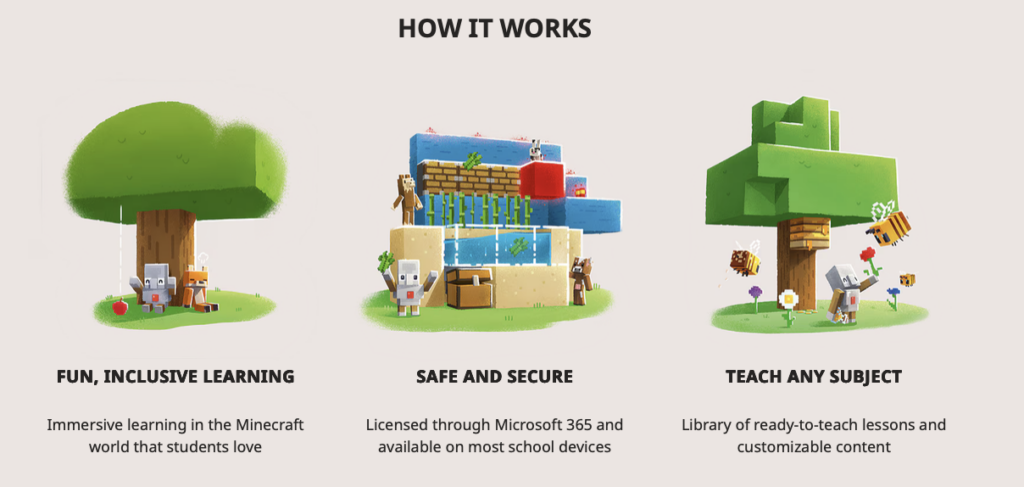
I personally found the class today on Gamification to be super interesting. I had never seen Minecraft schools before and I think the concept is pretty cool. I actually went and played one after class and it was pretty fun and educational. It could definitely be a fun activity during computer lab time or at home.

https://education.minecraft.net/en-us

Weekly Reflection #6: Ed Tech Integration

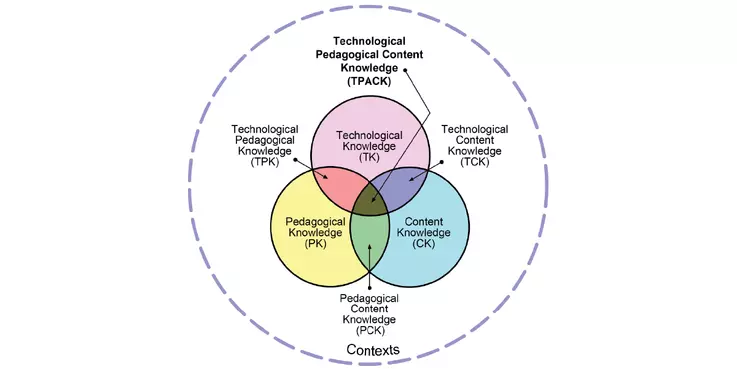
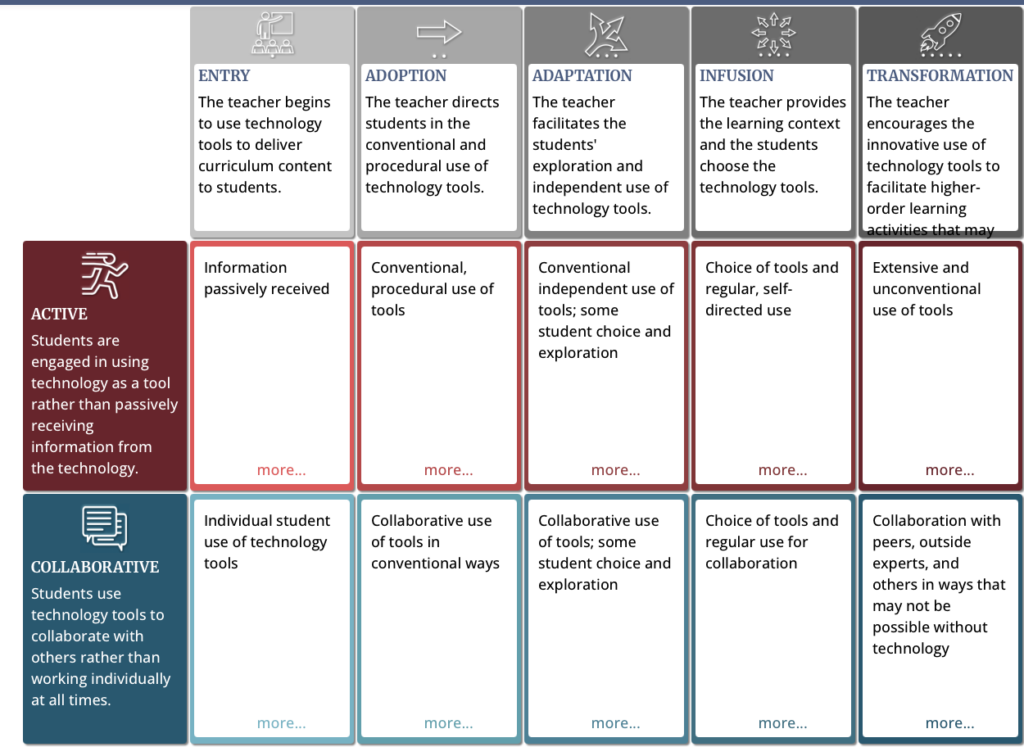
This week we learned a lot about Ed Tech Integration and frameworks/model that can help. The four main models we looked at are the COI, SAMR, TPACK, and TIM. COI stands for Community of Inquiry (https://www.thecommunityofinquiry.org/coi). The COI views learning as a collaborative process. It consists of 3 presences, cognitive presence, social presence, and teaching presence. SAMR stands for Substitution (Technology replaces a traditional tool), Augmentation (replacement tool has an improvement), Modification (technology allows for redesign), and Redefinition (technology allows people to complete tasks that were previously very difficult/impossible) (https://taylorinstitute.ucalgary.ca/resources/SAMR-TPACK). TPACK stands for Technological Pedagogical Content Knowledge (https://taylorinstitute.ucalgary.ca/resources/SAMR-TPACK).

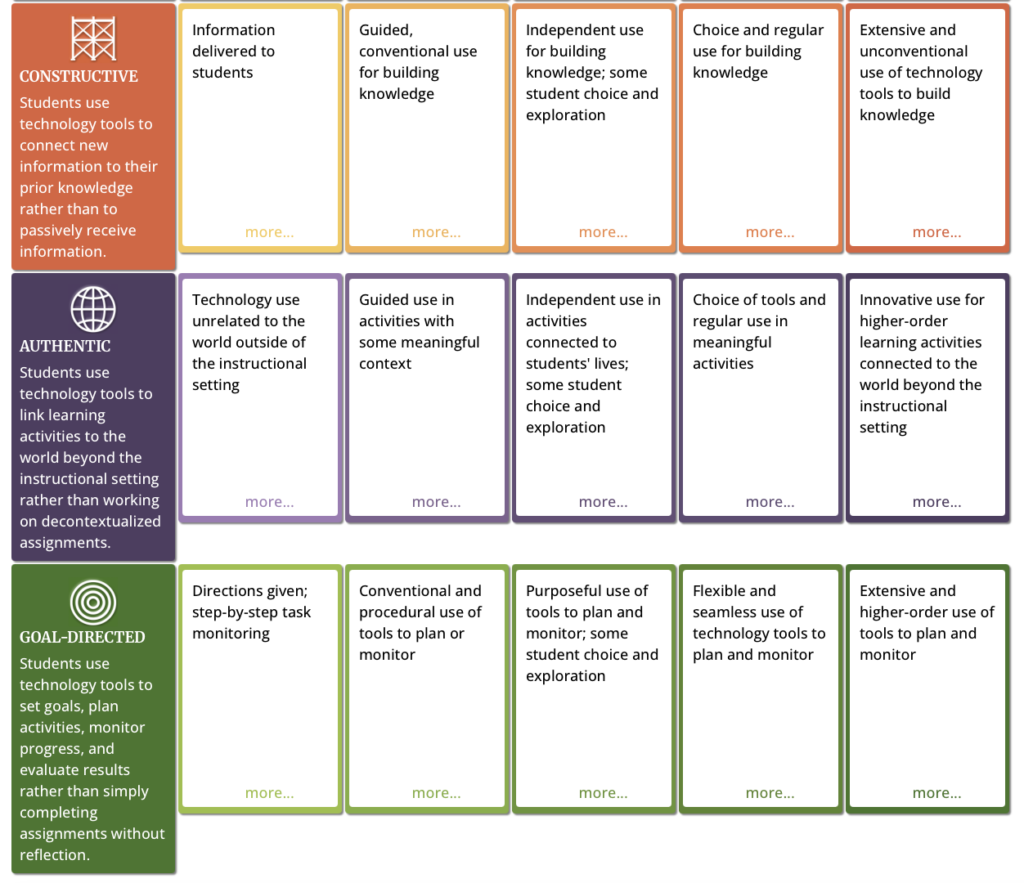
This model consists of 3 main knowledge areas: content knowledge (knowledge on the subject), pedagogical knowledge (knowledge of teaching methods), and technological knowledge (knowledge of digital tools and technologies). Effective tech integration happens when all of these areas overlap, the teacher understands the content, knows how to teach it, and chooses the right tech. TIM stands for Technology Integration Matrix (https://fcit.usf.edu/matrix/matrix/). The TIM framework’s goal is to make sure technology use supports and enhances student learning. It does this following the 5 characteristics of meaningful learning environments and the 5 levels of technology integration.

I think I will find the TIM model the most useful and applicable. I also liked the simplicity of TPACK. Overall I think all of these frameworks were good to look at and either taught me something new or reinforced my prior knowledge on AI use.

Weekly Reflection #4

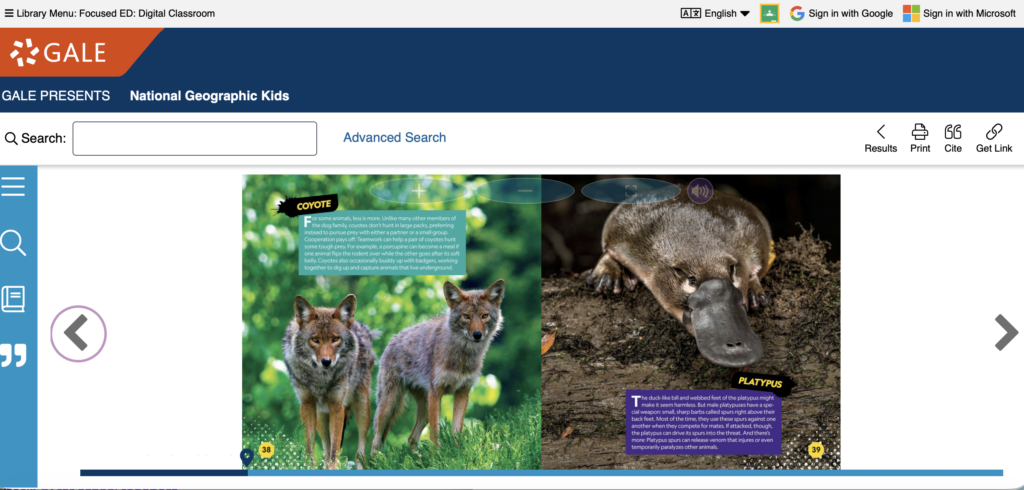
This week instead of having our typical zoom class we attended Focus ED AI education sessions. I attended the “NFB K-12: More than Just Great Canadian Films!”, and “The Digital Classroom for K-12 Teacher-Librarians & Leads”. We also got access to the Focus ED website that has so many resources for a variety of grade levels and content areas. I really liked the NFB resource, found some super cool lessons. One lesson I found to be particularly interesting was addressed the inquiry of why are mountain lakes often so blue https://blog.nfb.ca/blog/2024/05/09/edu-mini-lesson-for-losing-blue/. The site had a few in depth videos, summaries, activities, and more! I bookmarked this site to use in the future because it was so good. The info session I attended was on this site so it was even more impactful. Another site I found through Focus ED was national geographic kids https://go-gale-com.bc.idm.oclc.org/ps/dispBasicSearch.do?userGroupName=bcdc&prodId=NGMK. This site has so many resources about nature including magazines, books, posters, and videos. I really thought the books and videos were cool! I found this one on the “Deadliest Animals on the Planet”

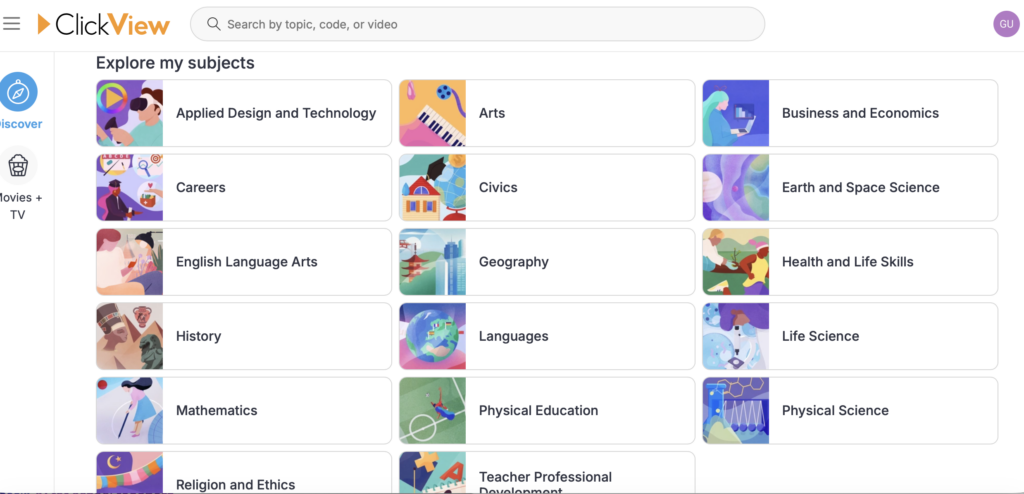
The next site I found through Focus ED was ClickView https://www-clickview-net.bc.idm.oclc.org/middle. This site has educational videos for many different subjects but it’s mainly for middle school. Even though Im planning to teach elementary school I still bookmarked this site as It could come in handy at some point!

I really found these resources and info sessions to be useful!

Weekly Reflection #3

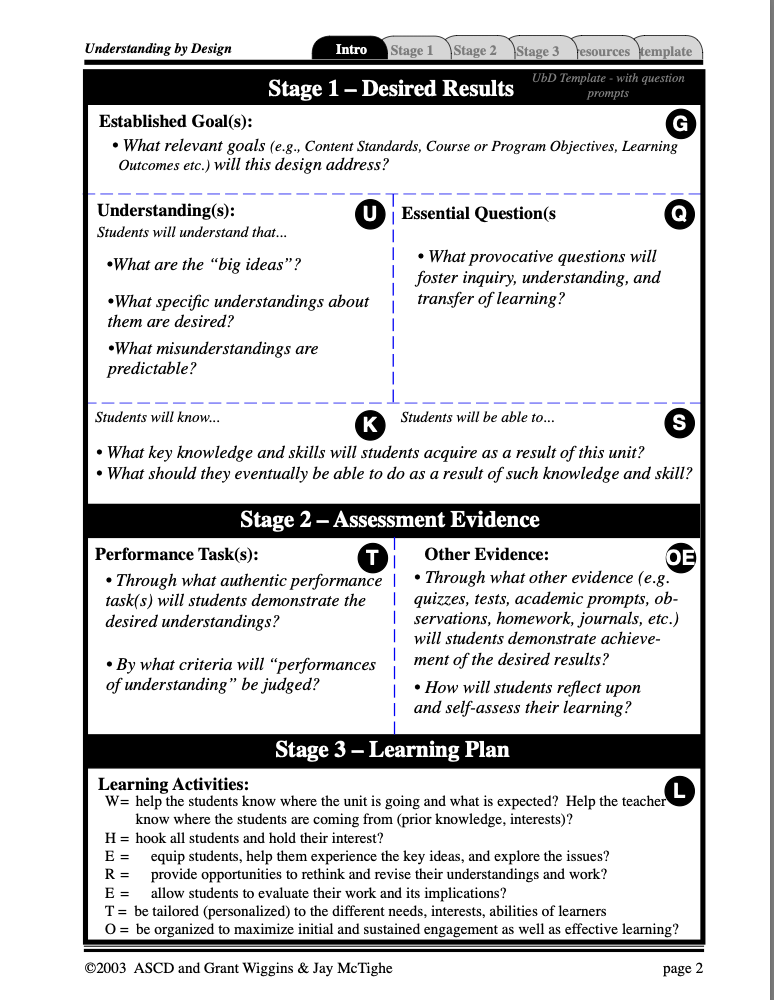
So far I have been really enjoying this class. This week we learned about UDL (universal design for learning), UdB (understanding by design), and the ADDIE model/framework for education. I personally found UDL and UdB to be the most interesting.

UDL is a framework that aims to replace the traditional “one size fits all” education, it has 3 main requirements for lessons; 1. multiple means of representation, 2. multiple means of engagement, and 3. multiple means of expression and action. Multiple means of representation calls for the content to be taught in different ways as learners don’t learn the same way. Students should have access to many different forms of the content (Auditory, visual, physical, etc). Multiple means of engagement calls for lessons to tap into the students interests and adapt the difficulty to keep the motivation/engagement high. Multiple means of expression is an extremely important part of UDL, students should have control over how they are assessed and how they express their knowledge. This makes so much sense as every student has strengths and weaknesses, and should be assessed in a way that they can best express the information. An example of this would be instead of making all the students write an essay students should be able to choose from options like art, slideshow, essay, poster, and verbal presentations. https://a11y.canada.ca/en/universal-design-for-learning-udl/ . Here is a podcast on UDL that I found to be really good! https://www.cultofpedagogy.com/udl-equity/

The UdB is a backward design framework that helps teachers plan effective lessons by starting at the end and working backwards. The UdB has 3 stages; 1. Identify desired results, 2. determine acceptable evidence, and 3. plan learning experiences. I really liked this framework, it makes sense and I will definitely be using it in the future!!! https://www.edutopia.org/sites/default/files/resources/stw-normal-park-normal-understanding-by-design.pdf

We also learned how to use AI to create lessons, assessments, and units that incorporate these frameworks and models. This was great and is something I will definitely continue to use!

Weekly Reflection #2

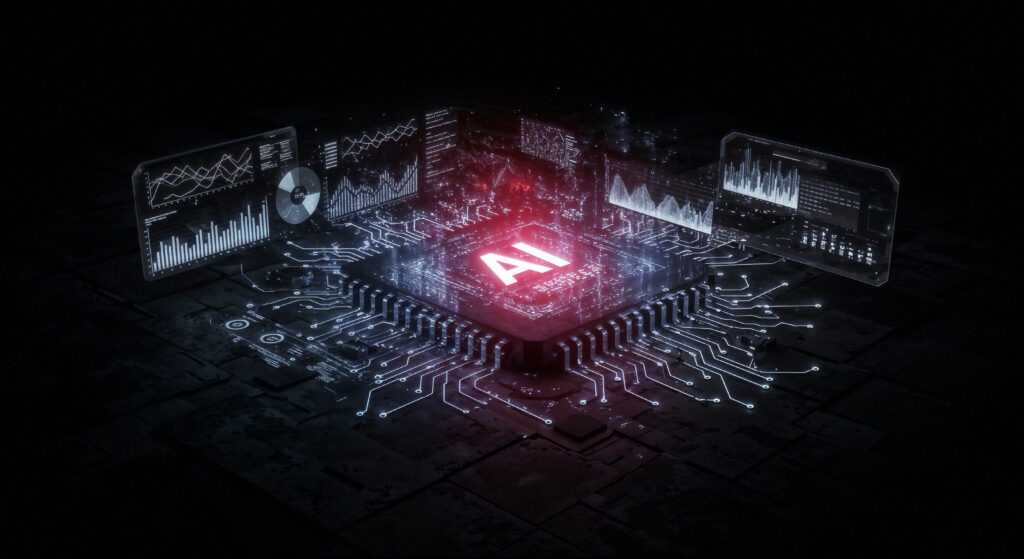
Generative AI can be a super useful tool for educators and teachers if used properly. However, there are some limitations. One of these limitations is accuracy and reliability. AI generated content often contains errors, outdated information, odd sources, or biased perspectives. If teachers don’t fact check and fine tune the AI generated content, they will end up teaching incorrect content to students or having lessons that aren’t effective and don’t make sense. This is a major reason why it’s crucial that teachers and students learn how to properly use AI and about the potential risks of using AI. Another limitation of AI is that you aren’t 100% sure where it’s drawing the content from, it could be pulling content from unreliable sources like Quora or Reddit. Generative AI will also seek information that supports your prompt, which can lead to incorrect and biased responses (https://www.icaew.com/technical/technology/artificial-intelligence/generative-ai-guide/risks-and-limitations). There are so many possible ways generative AI can be used in school. I would like to teach grade 3-4, and I think AI use is definitely acceptable for the teacher, and it could be introduced to students to help get them thinking critically about the information they see online. I would use it to help create lesson plans, brainstorm, draft unit outlines, resource lists, rubrics, self assessments, and more. It would be appropriate because I would always go over the generated content and personalize/fine tune it to ensure its effective quality content that would be engaging and benefit my class. I personally have found AI to be extremely helpful for educational purposes. I have used it to brainstorm, make lesson plans, rubrics, and self assesment forms. I have also used it for my own education. When I was studying exercise science I often had to have a very good understanding of complex concepts and processes that go on in the body. I used AI to help put these complex things into simpler words and create study packages. With that being said, I have found many errors and incorrect answers, fact checking the information and content is necessary. AI has many environmental impacts, such as high energy consumption, high carbon emissions, and high water use (https://news.mit.edu/2025/explained-generative-ai-environmental-impact-0117). AI also has privacy and security concerns related to data collection. A massive responsibility issue is academic integrity, it’s so easy for students to become over reliant on AI and even just directly copy and paste AI into their assignments and claim it’s their own work. This puts students at risk for plagiarism, and students do not actually learn the information.

Source: FreePik: https://www.freepik.com/free-ai-image/artificial-intelligence-concept_417567953.htm#fromView=keyword&page=1&position=6&uuid=6f9be1de-5262-488a-9369-ee09b158dbb0&query=Ai+data

Weekly Reflection #1

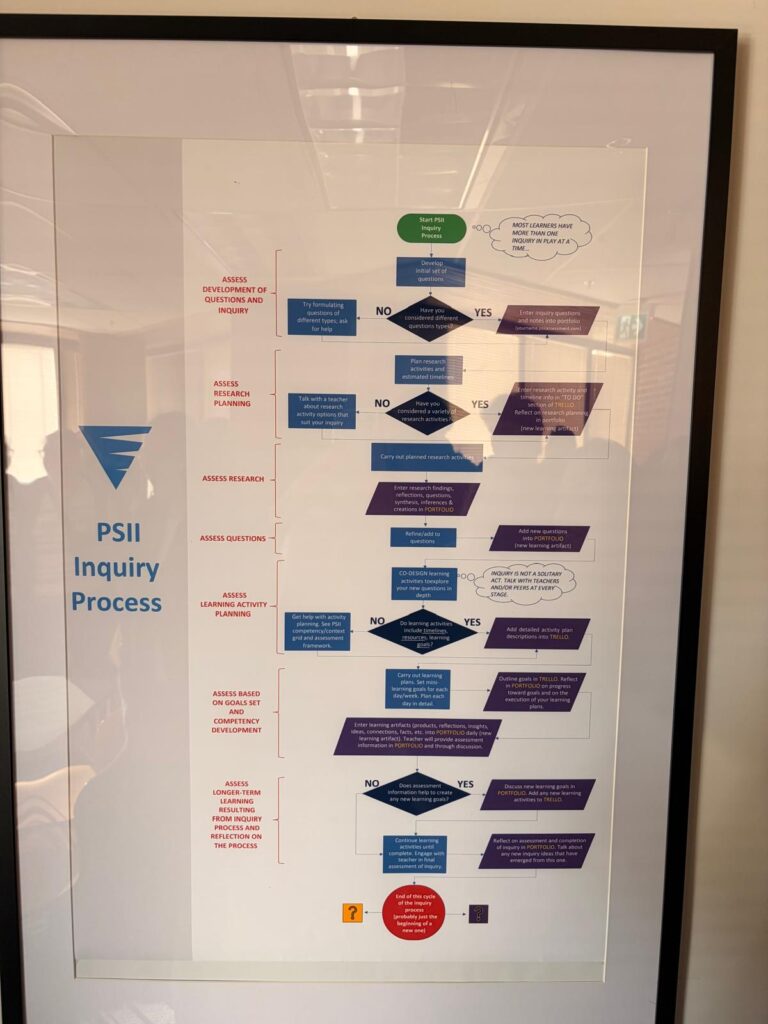
This week I was fortunate enough to go and explore the Pacific School of Innovation and Inquiry as apart of my tech class. I wasn’t sure what to expect as I had never been in an independent school before, I was pleasantly surprised to see how it was run. The way they do things there makes sense and allows children to follow their passions and learn other subjects using them. This increases motivation and understanding as students are actually interested. The students were all so quiet and focused on their work. The school itself was also very cool, I really liked the tech room they even had 3d printers for the kids to use. After seeing all of this I definitely think there are aspects of the education system that need to be changed/reimagined. Students need to be given the time and support to follow their passions and ask the questions they want to ask. This can be very hard for public school teachers as they have way bigger class sizes, have schedules and time restraints, less resources, less support, and more. One of the potential issues of this type of learning is how does it transfer to post secondary. One of the teachers daughters actually went to this school, she said her daughter found her undergrad degree to be boring and dry as it wasn’t all about exactly what she wanted to learn (found the masters to be much better), and that some of the standardized testing can be tough to get used too. I think the benefits outweigh the cons and that students should be given more control over their learning.

Welcome and Introduction

Before proceeding with this first blog post, we expect you to consider your privacy preferences carefully and that you have considered the following options:

  1. Do you want to be online vs. offline?
  2. Do you want to use your name (or part thereof) vs. a pseudonym (e.g., West Coast Teacher)?
  3. Do you want to have your blog public vs. private? (Note, you can set individual blog posts private or password protected or have an entire blog set to private)
  4. Have you considered whether you are posting within or outside of Canada? This blog on opened.ca is hosted within Canada. That said, any public blog posts can have its content aggregated/curated onto social networks outside of Canada.

First tasks you might explore with your new blog:

  • Go into its admin panel found by adding /wp-admin at the end of your blog’s URL
  • Add new category or tags to organize your blog posts – found under “Posts” (but do not remove the pre-existing “EdTech” category or sub-categories, Free Inquiry and EdTech Inquiry). We have also pre-loaded the Teacher Education competencies as categories should you wish to use them to document your learning. If you would like to add more course categories, please do so (e.g., add EDCI 306A with no space for Music Ed, etc.)
  • See if your blog posts are appearing on the course website (you must have the course categories assigned to a post first and have provided your instructor with your blog URL)
  • Add pages
  • Embed images or set featured images and embed video in blog posts and pages (can be your own media or that found on the internet, but consider free or creative commons licensed works)
  • Under Appearance,
    • Select your preferred website theme and customize to your preferences (New title, etc.)
    • Customize menus & navigation
    • Use widgets to customize blog content and features
  • Delete this starter post (or switch it to draft status if you want to keep for reference)

Do consider creating categories for each course that you take should you wish to document your learning (or from professional learning activities outside of formal courses). Keep note, however, that you may wish to use the course topic as the category as opposed to the course number as those outside of your program would not be familiar with the number (e.g., we use “EdTech” instead of “edci336).

Lastly, as always, be aware of the FIPPA as it relates to privacy and share only those names/images that you have consent to use or are otherwise public figures. When in doubt, ask us.

Please also review the resources from our course website for getting started with blogging:

© 2026 Stewy Blogs

Theme by Anders NorenUp ↑